Account report workflow

Compare a property shortlist.

Bring a few locations into one report, compare the same Safety Score components across them, and export the result as PDF or CSV.

From locations to a comparison.

  1. Choose one input type.

    Open Reports in your account and use addresses, ZIP codes, or coordinates. A report accepts up to 10 locations of one type. Start with two locations when evaluating the workflow.

  2. Review the resolved locations.

    For addresses, confirm the selected match before generating the report. Coordinate results describe the surrounding Census block group; ZIP results summarize a Census ZCTA.

  3. Generate and compare.

    Each successful location uses 10 credits, including its selected detail components. Failures and unavailable results do not count. Compare the same component across locations; different components use different benchmarks.

  4. Export PDF or CSV.

    Keep the scores, geography, model context, and limitations alongside your comparison. Use the report to support a location discussion rather than as a guarantee about an individual property.

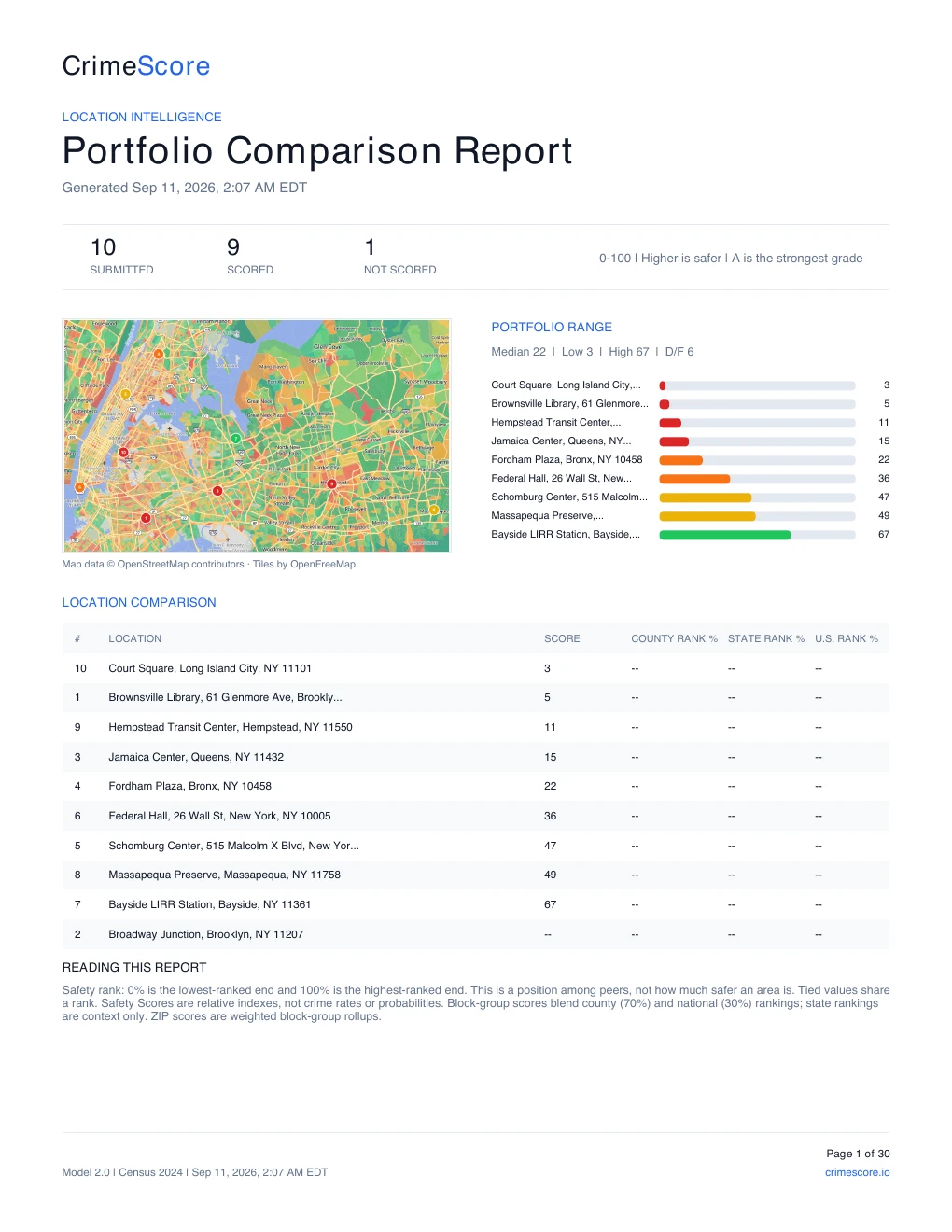
Existing CrimeScore report showing ten public locations, their Safety Scores, and a comparison map
Ten public locations, captured October 5, 2026. This sample contains no customer data. Open sample PDF

Try two locations before choosing a plan.

New accounts receive 25 evaluation credits, valid for 30 days, in their initial organization without a payment method. That covers 2 successful report locations at 10 credits each, with 5 credits remaining for Score or Score Details API requests.

The ten-location sample demonstrates a larger report: generating ten successful locations uses 100 credits. Credits are shared across the organization's keys and reports. Owners and admins can generate reports while their organization has available evaluation access or an active API plan.

Modeled Safety Scores are not official crime rates or guarantees. Review the methodology and coverage and limitations before using results.